Posts

Showing posts with the label windows server

Getting 500 Internal Server Error after ASP.Net Core Hosting

Image
Getting 500 Internal server error when browsing ASP.NET Core Application in IIS web server. This error occurs because the target server system does not have .NET Core Runtime installed in it. This issue can be resolved by in installing " Hosting Bundle Installer ". which includes Windows Server Hosting and .Net Core Runtime version you are using. You can also install this two components separately. Both of this components are required to run ASP.NET Core Applications on server. You can download " Hosting Bundle Installer " from here . Check here for latest versions. If you need to download .NET runtime only, follow this link .
HOW TO ACCESS MS SQL IN WINDOWS SERVER FROM A REMOTE SQL SERVER MANAGEMENT STUDIO

Image
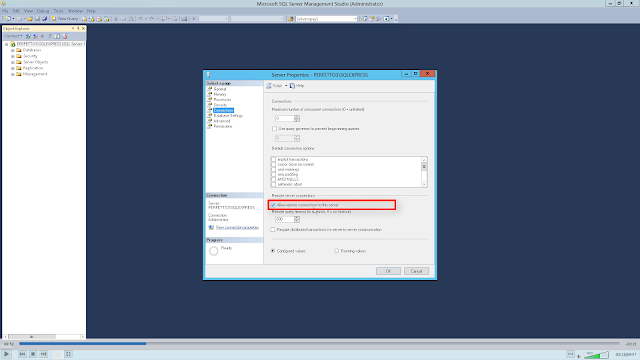
It is always troublesome to access MS SQL running in windows server from a local system. In this post I am explaining how to do it easily in less time. The main things to be done are: First we need to allow remote access to the sql server we are using.Then set a port to access the sql server through TCP/IP connection. Next step is to create an inbound rule in firewall to accept connection to that port. You can follow the steps given below to do this. 1. Connect with windows server 2. Open sql server management studio. And connect to the sql server instance. 3. Right click on the SQL server instance and select properties. 4. Select "Connections" from side menu. Make sure the "Allow remote connections to this server" Checkbox is selected. then press OK.  5.  Open "SQL server configuration manager" 6. In the side menu expand "SQL server network configuration" 7. Double click on the SQL instance name. 8. Ensure that "Shared memory...

FIX: Severity Code Description Project File Line Suppression State Error Web deployment task failed.

Image
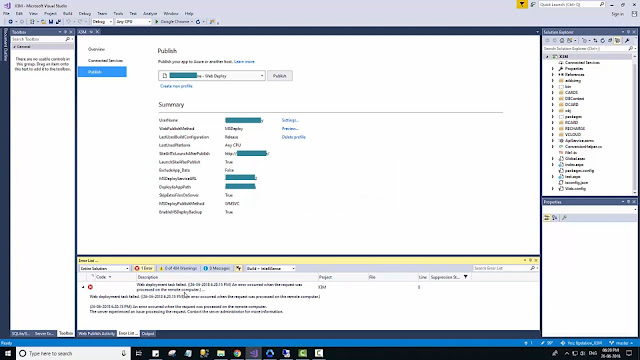
"Severity Code Description Project File Line Suppression State Error Web deployment task failed. An error occurred when the request was processed on the remote computer.) An error occurred when the request was processed on the remote computer. The server experienced an issue processing the request. Contact the server administrator for more information".             This error occurs when first time hosting to a IIS website using WebDeploy option in visual studio. When WebDeploy option is setup for a new website is created on IIS it will create a user for deploying. This error is causing because the created user does not have the sufficient permissions to access the website directories.              We can add this permissions manually by login in into server. The following steps are used to solve the error. login in to the windows server open IIS (Internet Information Service) Manager Select the webs...